The next step in the process is to create the categories, if you want to bundle your items into categories. (Do not confuse this term with the item category 1-6 in Enterprise/DC1.)
- Click Catalogue category.
- You access the Catalogue category window. Click New.
- You access the Category element window.
- Id
- Enter the name of the category element.
- Description
- Enter the description. The descriptions can be translated into any supported language.
- Attention code
- Select the applicable attention code from the drop down list, if any, to be assigned to this catalogue. (Currently not used.)
- Valid from date
- Optional entry. Enter the date from which the category is valid.
- Valid to date
- Optional entry. Enter the date to which the category is valid.
Panel image
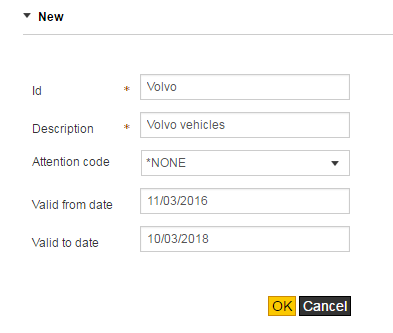
Complete the following information:
Click OK.